Features
Twenty-two modules.
Five stages of the job.
From the first call to collected cash — Command, Dispatch, Revenue, Operations, and Configuration. One system, one price, no modules to unlock. Watch each stage roll through below.
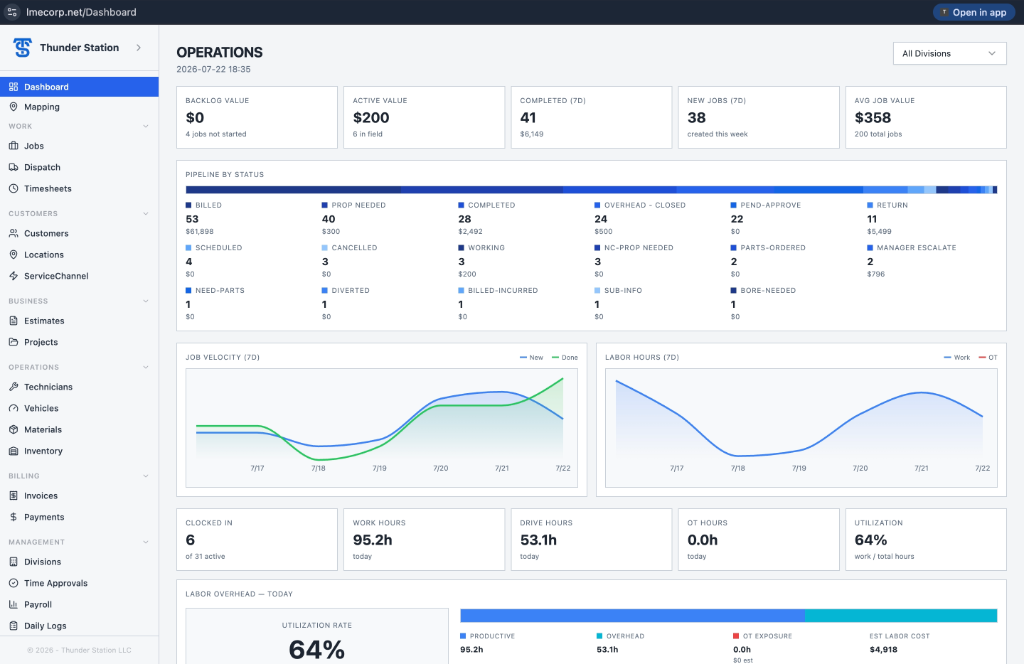
One screen tells you where the money is. Backlog, Active and Completed value sit up top, with every job status broken out by count and dollar amount. Seven-day Job Velocity and Labor Hours charts show whether you're speeding up or stalling. Clocked-in technicians, work hours, drive hours, overtime and utilization all update in real time — so you know who's billing and who's coasting.
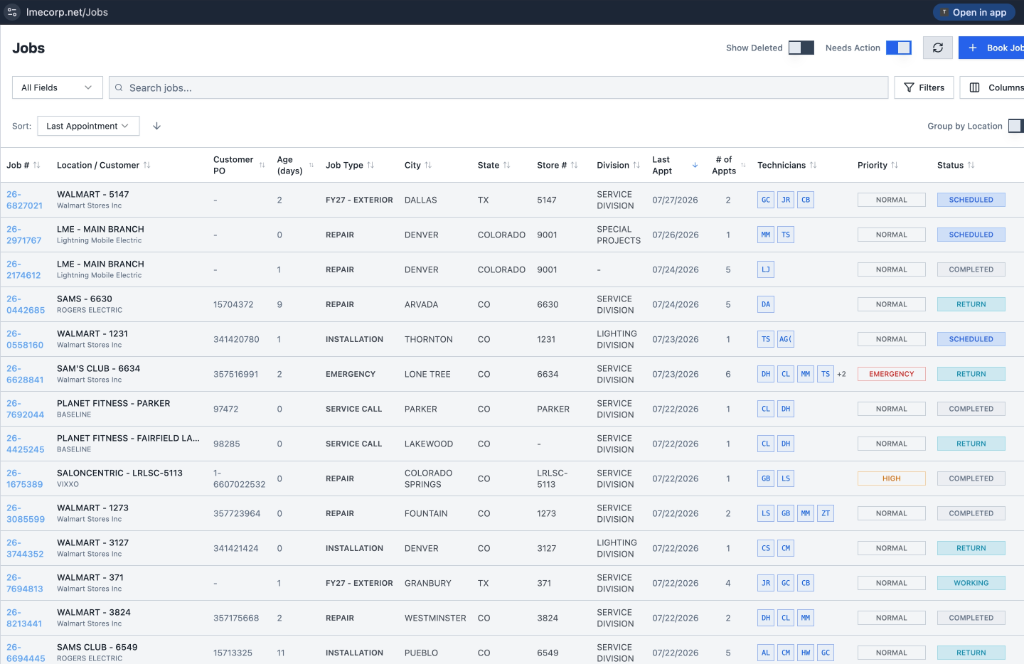
Every job, sorted by last appointment — number, location, customer, PO, age in days, type, city, state, store and division, with technician and priority badges. A quick-view panel drops in a site map. Open the record and the margin is already live, built from labor burn rate, material, rental and travel.
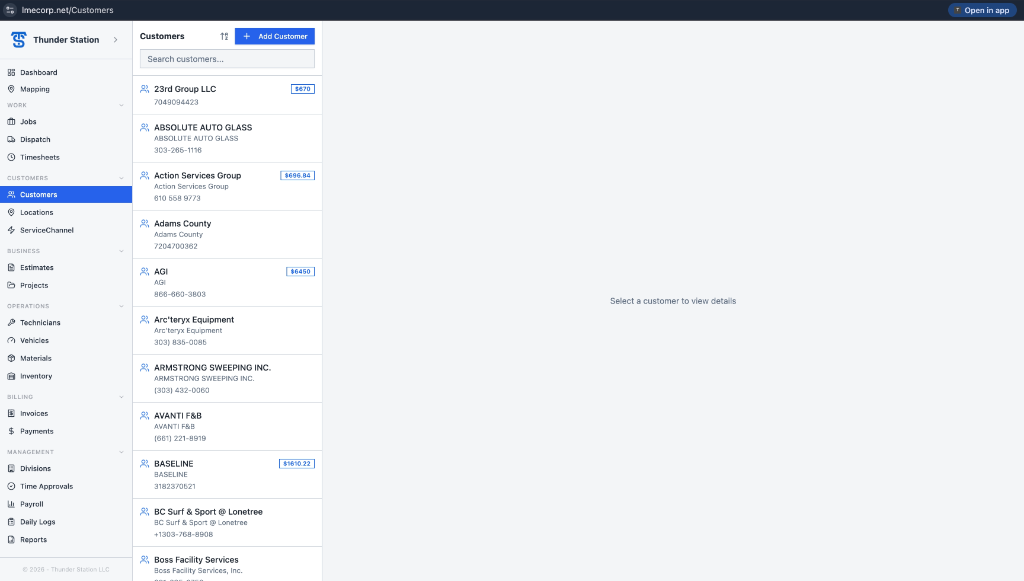
Most platforms treat a store as a customer — duplicates, orphan sites, split billing. Thunder Station links any number of locations to a single customer account dynamically. The account holds the balance, billing terms and default labor rates; every linked location inherits them while keeping its own job history, address and per-site margin. Add a site in seconds and it rolls up to the parent the moment you link it — no re-keying, no duplicate accounts.
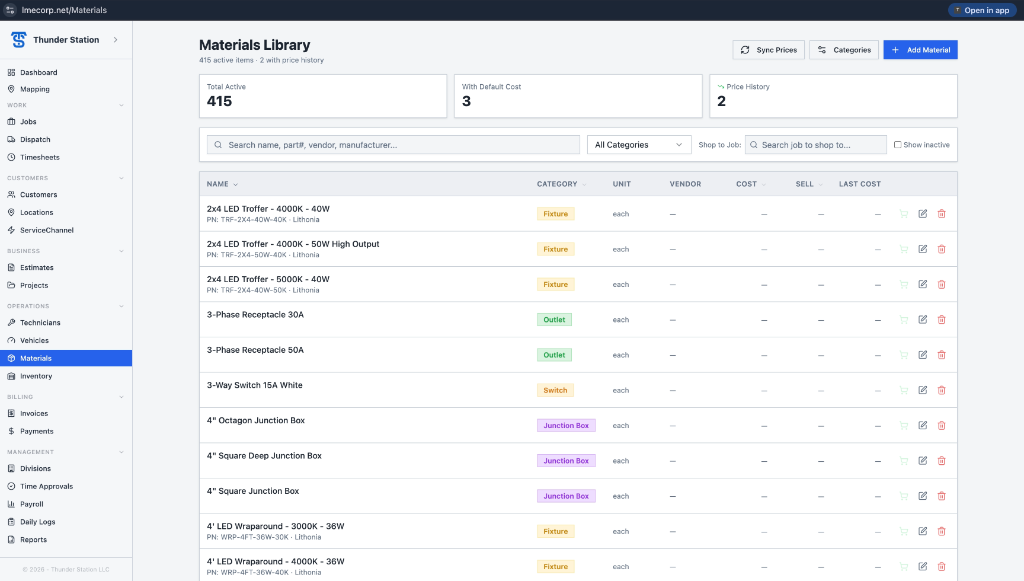
Four hundred and fifteen active items, each with part number, category — Fixture, Outlet, Switch, Junction Box, Breaker, Network — unit, vendor, cost and sell price, and last cost. Add Material captures name, category, description, part number, unit, manufacturer, vendor, default cost, sell price, technical specs and notes. Shop to Job pushes a material straight onto an active job.
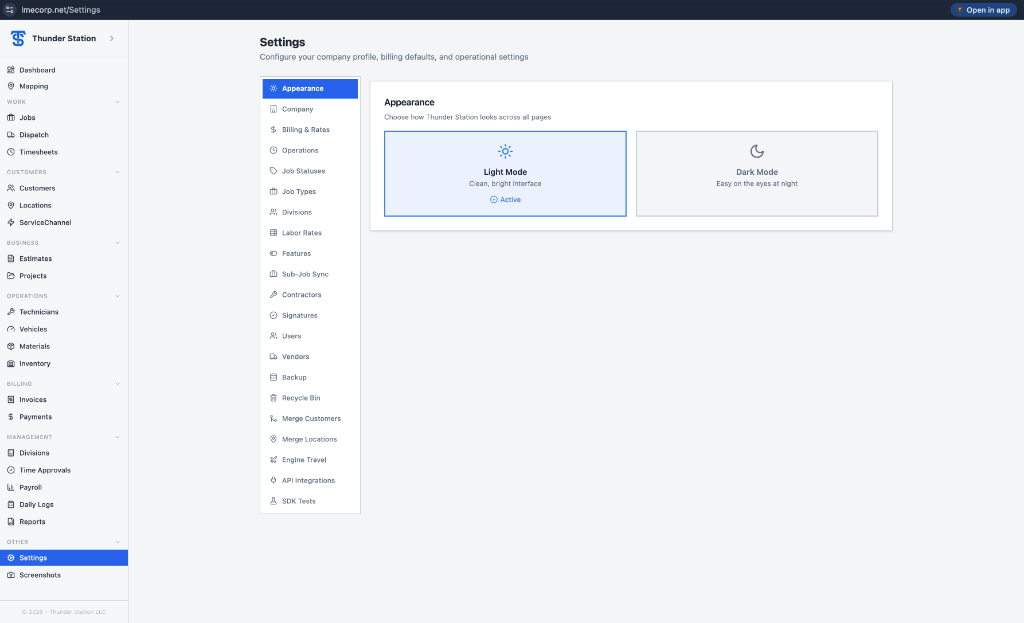
Settings run deep — Appearance with light and dark mode, Company, Billing and Rates, Operations, Job Statuses, Job Types, Divisions, Labor Rates, Features, Sub-Job Sync, Contractors, Signatures, Users, Vendors, Backup, Recycle Bin, Merge Customers, Merge Locations, Engine Travel, API Integrations and SDK Tests. Shape every status, rate and rule to the way you actually work.